
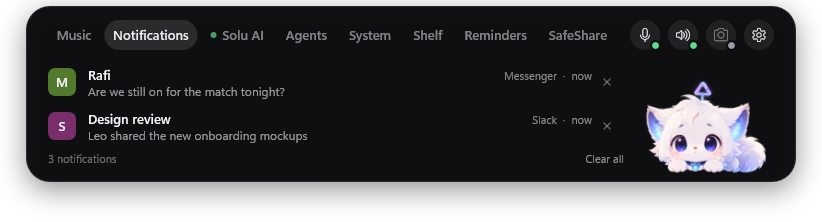
Notifications that know their place
Messages slide into the island, then step aside. Mute an app and it arrives quietly, Windows' own banners included. Busy on another tab? You just get a small +1.
How notifications work
Login codes in one click
When a sign-in code lands in a notification, the island shows it big and clear. One middle-click copies it, and it stays out of your clipboard history.
More about login codesYour AI agents, on a short leash
Watch Claude Code and Codex work, one step at a time. When they need permission, approve it right from the island, and the cat lets you know when they are done.
How agent approvals workDrop it. Keep it. Send it.
Drag files onto the island and pick a side. The Shelf holds them so you can drag them into any app later. SafeShare encrypts them on your PC and emails a link to a password-protected room that closes after 10 hours.
See the Shelf at work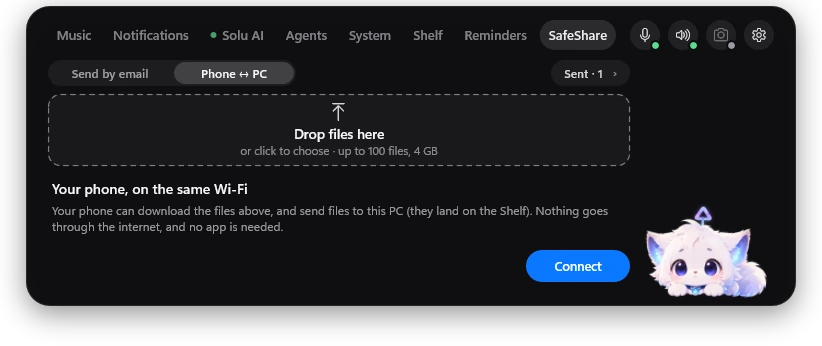
Your phone, no cable
Scan a QR code and your phone can download files from your PC, or send photos straight to it, over your own Wi-Fi. No app on the phone, and nothing goes through the cloud.
How phone to PC worksSay “Solu”
Meet Solu
Solu is a voice assistant that lives in the island. Say its name and ask: set a reminder, open an app, or have it look at your screen when you ask. Its speech recognition and AI models run on your own PC.
More about Solu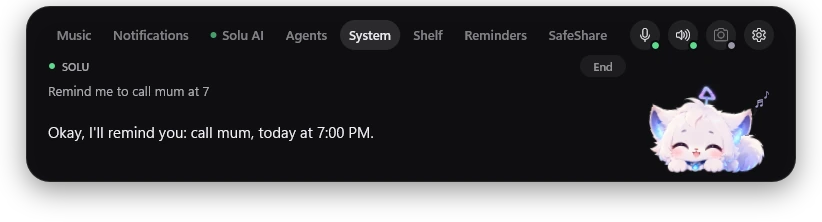

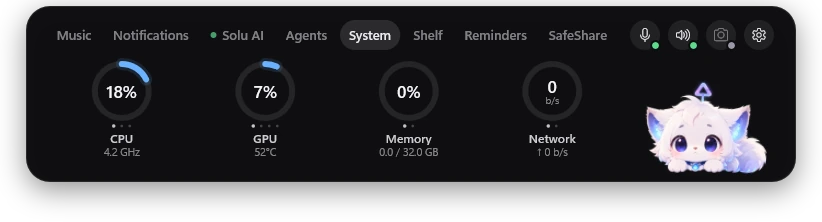
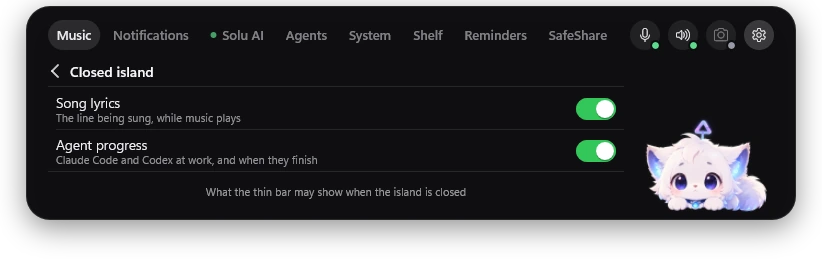
Everything at a glance
CPU, GPU, memory and network as calm rings, plus which apps are using your microphone and camera. And you decide what the closed island may show.
The little things, handled
Plug and play
Plug in a drive, a phone, headphones or a Wi-Fi adapter and the island tells you what it is. Eject a drive from the same pill.

Screenshots, caught
Take a screenshot and it waits on the island with a preview, ready to drag into any app.
Reminders that ring
Type “Codeforces contest 4 March 8pm” and it rings on time, with a snooze and an optional heads-up.
Reminder
Codeforces contest
Live and clickable
Every feature, in action
Watch the island do each thing it does, step by step, then take the mouse and try it yourself.
Built to stay out of your way
Click-through
A normal click goes straight to the app below. Middle-click or scroll the island to open it.
Quiet when idle
Closed and idle, the island draws no frames at all.
No account
Eflow runs on your PC. There is nothing to sign up for.
Listens on your PC
Solu listens for its name on your PC, and looks at your screen only when you ask.
Questions, answered

Eflow is in development for Windows. The download will be on this page as soon as it is ready.
With anything that shows up in Windows' media controls, like Spotify or YouTube in your browser. Lyrics appear when a synced version of the song is found.
No. Eflow runs on your PC.
Solu listens for its name, on your PC. You can switch it off in Settings at any time.
Claude Code and Codex. Eflow shows what they are doing and lets you answer their permission requests.
No. The closed island is click-through, so clicks go to the app below it. A middle-click or a scroll opens it.
Eflow's mascot. It lives in the open island, reacts to what is going on, and cheers when your agents finish.

Ready to meet your island?
Eflow is coming to Windows. Check back here for the download.